
Where do I find my invoices at ReviewForest?
Every invoice is automatically sent by our system as a PDF file by email to the billing email address we have on file for you.
You can also access all your invoices through our web app.
-
Log in to the web app and go to Billing & Plan
-
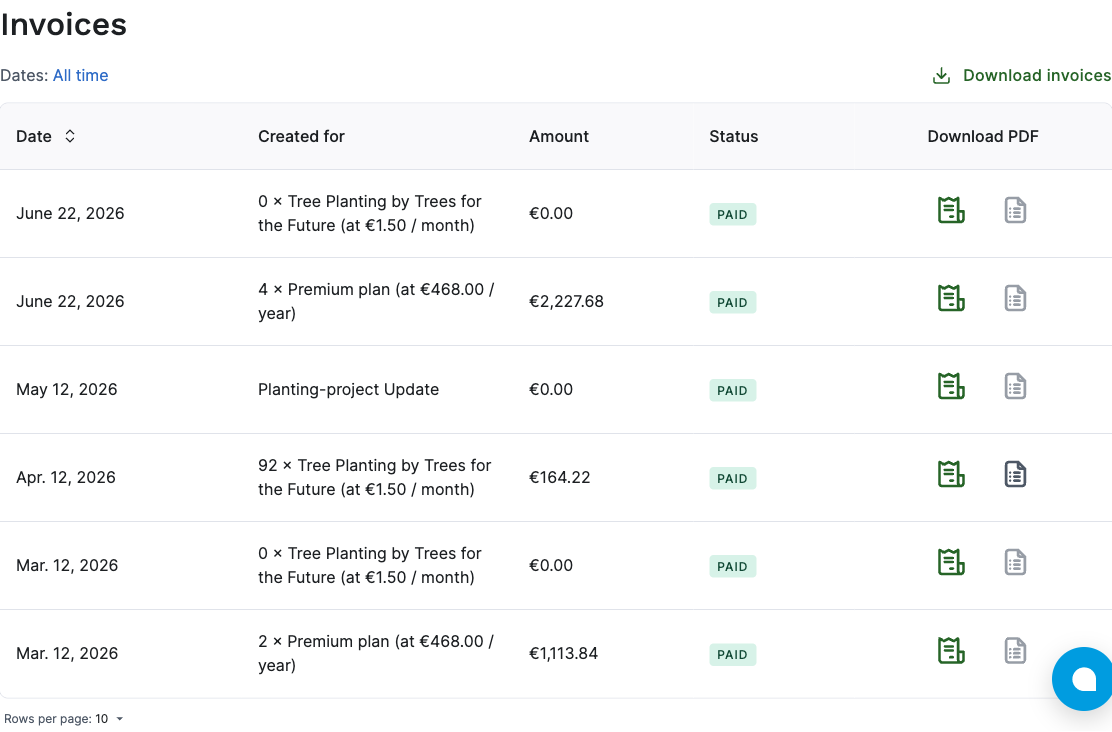
Here you have several ways to download invoices:
Download a single invoice Click the left icon to download the respective invoice.
Download the invoice breakdown Click the right icon to get a detailed overview of which reviews you were charged tree costs for.
Download all invoices with one click If you want to download all invoices for your account at once, you can select the desired time period in the top left and then download all invoices with a single click on ‘Download selection’.